
Double Integral Calculator
- Free
- No sign-up
- Works on phones
- Shows the working
 By Yasir Hafeez · Updated
The double integral calculator evaluates \( \iint_R f(x, y)\,dA \) over a rectangle \( R = [a, b] \times [c, d] \). Also, type the function and the four limits, and you get the value of the integral plus the average value of \( f \) over the rectangle.
It’s useful for checking iterated integrals from homework, finding volumes under surfaces, and testing whether you set up the limits correctly. However, one limitation up front: it handles rectangular regions only, where \( x \) and \( y \) each run between fixed numbers. It is free and needs no sign-up.
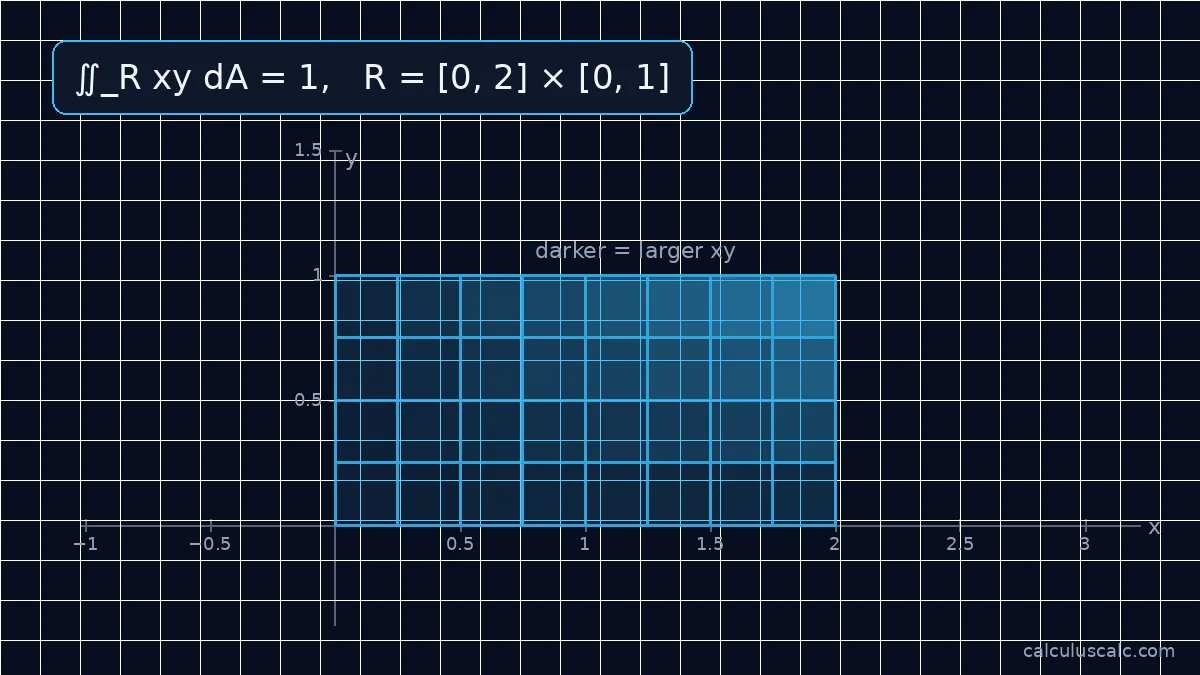
How to use the double integral calculator
- Type \( f(x, y) \). Use
^for powers, andsqrt(),sin(),cos(),ln(),e^(x y)andpifor functions. Also, implicit multiplication likex y^2works. - Enter the \( x \)-limits \( a \) and \( b \), then the \( y \)-limits \( c \) and \( d \). Limits can be expressions like
pi/2, but they must be finite numbers. - Press Integrate. The output shows the rectangle \( R \), the value of \( \iint_R f\,dA \) (with an exact form such as a fraction or a multiple of \( \pi \) when the result matches one), and the average of \( f \) over \( R \).
Formula
Over a rectangle, Fubini’s theorem lets you write the double integral as an iterated integral in either order:

$$\iint_R f\,dA = \int_a^b\!\!\int_c^d f(x, y)\,dy\,dx = \int_c^d\!\!\int_a^b f(x, y)\,dx\,dy$$
The average value of \( f \) over \( R \) divides by the area:
$$f_{\text{avg}} = \frac{1}{(b-a)(d-c)}\iint_R f\,dA$$
The calculator evaluates the integral numerically with a two-dimensional Simpson’s rule on a fine 240 × 240 grid. For smooth functions that is accurate to many decimal places. It gives the value only, not the antiderivatives, so use it to check the final number from your hand calculation.
Worked example
Example 1: iterated integral. Evaluate \( \iint_R (x^2 + 2y)\,dA \) with \( R = [0, 3] \times [0, 2] \).
Integrate in \( y \) first, treating \( x \) as a constant:
$$\int_0^2 (x^2 + 2y)\,dy = \Big[x^2y + y^2\Big]_0^2 = 2x^2 + 4$$
Then integrate in \( x \):
$$\int_0^3 (2x^2 + 4)\,dx = \Big[\tfrac23x^3 + 4x\Big]_0^3 = 18 + 12 = 30$$
The other order agrees: \( \int_0^3 (x^2 + 2y)\,dx = 9 + 6y \), and \( \int_0^2 (9 + 6y)\,dy = 18 + 12 = 30 \). The rectangle has area 6, so the average value of \( f \) is \( \frac{30}{6} = 5 \), the two-variable version of what the average value calculator does in one variable. This example is preloaded in the calculator above.
Example 2: a product that separates. Evaluate \( \iint_R y\sin x\,dA \) with \( R = [0, \pi] \times [0, 2] \).
When \( f(x, y) = g(x)\,h(y) \) on a rectangle, the integral splits into a product:
$$\int_0^\pi \sin x\,dx \cdot \int_0^2 y\,dy = 2 \cdot 2 = 4$$
The average value is \( \frac{4}{2\pi} = \frac{2}{\pi} \approx 0.6366 \). For example, enter y sin(x) with \( a = 0 \), \( b = \) pi, \( c = 0 \), \( d = 2 \) to check it.
Rectangles only: what to do with other regions
The calculator’s limits are four fixed numbers, so the region is always a rectangle with sides parallel to the axes. Many textbook problems use other regions, such as a triangle under \( y = x \) or a disk. For those:

- Set up the iterated integral by hand with variable inner limits, for example \( \int_0^1\!\int_0^x f\,dy\,dx \) for the triangle below \( y = x \).
- Do the inner integral yourself, then check the outer single integral with the definite integral calculator.
- Switch to polar coordinates for disks and rings. Then \( dA = r\,dr\,d\theta \), and the region becomes a rectangle in \( (r, \theta) \). Enter the integrand multiplied by \( r \), using
xfor \( r \) andyfor \( \theta \).
Two other points trip people up:
- The result is a signed volume. However, where \( f < 0 \) the integral counts negatively. For \( f = x - 1 \) on \( [0, 2] \times [0, 1] \), the positive and negative parts cancel and the integral is 0.
- The integrand must be defined everywhere on \( R \). A function like \( \frac{1}{x} \) on a rectangle that includes \( x = 0 \) gives an error rather than a number.
For step-by-step setups with non-rectangular regions and switching the order of integration, read the guide to double integrals. Each inner integral is an ordinary single integral evaluated with the fundamental theorem of calculus.
Worked example: integrating in either order
Evaluate \( \iint_R (x + y)\,dA \) over \( 0 \le x \le 2 \), \( 0 \le y \le 1 \).
- Inner integral in \( y \): \( \int_0^1 (x + y)\,dy = x + \frac{1}{2} \).
- Outer integral in \( x \): \( \int_0^2 \left(x + \frac{1}{2}\right)dx = 2 + 1 = 3 \).
Doing \( x \) first gives the same answer, as Fubini’s theorem guarantees for continuous functions on a rectangle.
What a double integral measures
- Volume under a surface \( z = f(x, y) \) above a region.
- Area of the region itself, when \( f = 1 \).
- Mass of a thin plate with density \( \rho(x, y) \).
- Average value of \( f \) over the region: the integral divided by the region’s area. Here the average of \( x + y \) is \( 3/2 = 1.5 \).
Practice problems
- \( \int_0^1\int_0^1 xy\,dy\,dx \)
- \( \int_0^2\int_0^3 1\,dy\,dx \)
Answers: 1. \( \frac{1}{2} \times \frac{1}{2} = \frac{1}{4} \). 2. 6, the area of a 2 × 3 rectangle.
Step-by-Step Guide to Using the Calculator
First, identify the function you need to integrate. This is your f(x, y). For example, it might be x^2 + y or x * sin(y).
Next, determine your integration region. This calculator handles rectangular regions. So, find the constant bounds for x (a and b) and for y (c and d).
Then, input your function into the 'f(x, y)' field. Use standard mathematical notation. For powers, use ^. For example, x squared is x^2. Use parentheses for clarity, such as sin(x * y).
Enter the lower x-limit into 'a' and the upper x-limit into 'b'. Similarly, input the lower y-limit into 'c' and the upper y-limit into 'd'. Limits can be numerical values or constants like pi.
Finally, click the 'Integrate' button. The double integral calculator will process your input. It then displays the integral's numerical value and the function's average value over your specified rectangle.
Interpreting Your Results
The calculator provides two main outputs: the double integral value and the average value of the function. The integral value represents a signed volume. If f(x, y) is always positive over the region, this value is the volume under the surface.
However, if f(x, y) takes on negative values, the integral subtracts these parts. A zero result means the positive and negative volumes cancel out. For instance, integrating x over [-1, 1] x [0, 1] yields zero.
The average value indicates the function's mean height across the region. This is calculated by dividing the integral value by the area of the rectangular region. It helps understand the typical value of f(x, y) over the entire domain.
Always check your result. A very large or small number might mean an input error. Your function may grow rapidly. Compare with rough estimates if you can. Use a double integral calculator carefully.
Avoiding Common Calculation Errors
A frequent error is mistyping the function. Ensure all variables are correctly entered and operations are clear. For example, 'xy' is often interpreted as implicit multiplication, but 'x*y' is always explicit. Use parentheses to group terms correctly, especially with division or complex exponents.
Another mistake is swapping the limits of integration. Always input the smaller value as the lower limit and the larger value as the upper limit for each variable. Otherwise, a double integral calculator might return a negative of the correct answer, or an unexpected result.
Remember that the integrand must be defined everywhere within the specified rectangular region. For example, functions like 1/x will cause errors if the region includes x=0. The calculator cannot evaluate integrals with singularities inside the domain.
Be careful with transcendental functions. Use 'sin(x)', 'cos(y)', 'ln(x)', and 'e^(x)' for exponential functions. Incorrect syntax here will lead to calculation failures. Double-check your input before pressing integrate.
Related guides
- Double Integrals: How to Evaluate Them Step by Step
- Average Value of a Function: Formula, Meaning and Examples
- Fundamental Theorem of Calculus (Parts 1 and 2) Explained
- Partial Derivatives: How to Calculate Them
Further reading
- Double Integrals (Paul’s Online Math Notes) — the definition as a limit of sums and the volume interpretation.
- Iterated Integrals (Paul’s Online Math Notes) — Fubini’s theorem and the shortcut for integrands that factor.
FAQ
Can the double integral calculator handle non-rectangular regions?
No. It integrates over rectangles \( [a, b] \times [c, d] \) only. For triangles, disks or regions bounded by curves, set up the iterated integral by hand or convert to polar coordinates first.
Does the order of integration matter?
Not over a rectangle. However, for continuous functions, \( dy\,dx \) and \( dx\,dy \) give the same value, which is why the calculator only asks for the limits.
How do I find the volume under a surface?
If \( f(x, y) \ge 0 \) on a rectangle, the double integral represents volume. This volume is between the surface \( z = f(x, y) \) and the \( xy \)-plane. So, enter \( f \) and the limits into the double integral calculator. The result will be that volume.
Does it show steps?
It shows the value and the average of \( f \), not the intermediate antiderivatives. The worked examples on this page show how to get there by hand.